
Billing
Draft an invoice from what the doctor completed, split the payment across cash, UPI, card and insurance, and let SmileDesk chase the insurer for the rest. No GST — dental services are exempt in India.
What it does
Billing turns completed treatment into money in the bank. Each invoice belongs to one patient, holds one or more line items, an optional discount, and one or more payments. Its status is derived automatically:
- Draft — being built. No number assigned yet, not visible to the patient.
- Issued — gets an invoice number (INV-0001, per clinic), locks line items and prices.
- Partially paid — one or more payments recorded but the outstanding is still non-zero.
- Paid — outstanding is zero.
Money is stored in paise. ₹100 is 10 000 paise internally. All maths (discounts, splits, refunds) is rounded to the paise so you never see a mysterious 1p difference at the bottom of an invoice.
Creating an invoice
- Open the patient's profile and click New invoice. Or from the Billing screen, click New invoice and pick the patient.
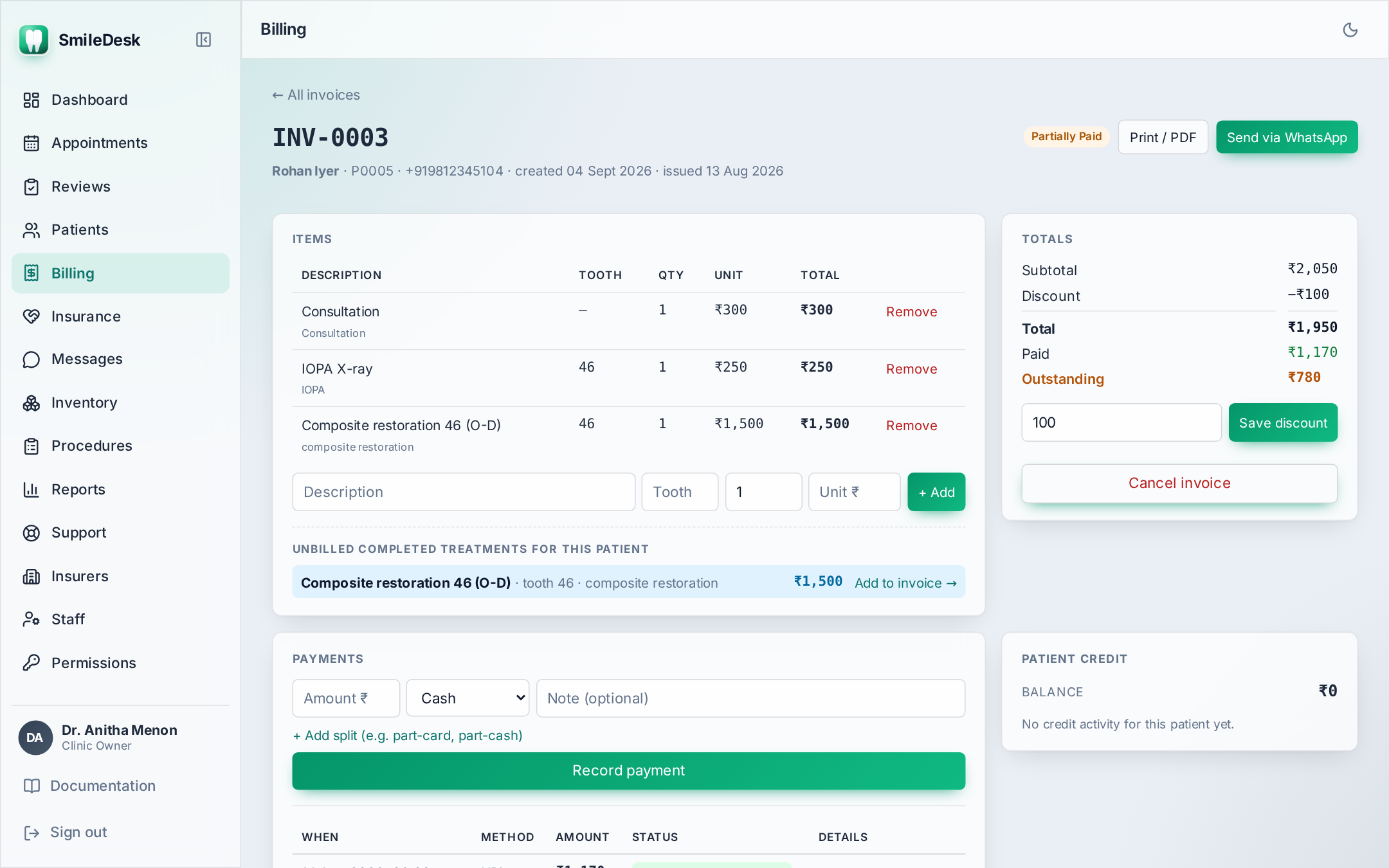
- SmileDesk pre-fills the line items from the patient's completed treatment-plan items — no re-typing.
- Adjust line items as needed. Add rows for anything not in the plan (materials, an extra procedure).
- Enter a discount — either an amount in ₹ or a percentage.
- Click Issue. The invoice gets its number, and prices are frozen at today's catalogue values.
Recording payments
Once an invoice is issued, click Record payment. Enter amount and method: Cash, UPI, Card, or Insurance. Multiple partial payments across methods are fine — an invoice can carry any mix.
Insurance-tracked payments
This is the one to understand:
- When you record a payment as Insurance, it is created as pending. The insurer has not paid yet — you have only claimed.
- Pending insurance amounts DO NOT reduce the invoice's Outstanding. This is deliberate: your outstanding number stays honest.
- Pending amounts show separately on the invoice, and are visible on the Insurance chase page — one queue per insurer.
- When the insurer finally settles, open the Insurance chase page and click Mark settled. Only then does the invoice's status recompute (usually to Paid).
- If the insurer rejects the claim, click Void on the pending payment; the balance goes back to the patient.
Do not record insurance as "Cash" to make the invoice look Paid. Reports and the receivables total will be wrong and the audit log will show your name against every mismarked row.
The credit ledger (overpayments)
Sometimes a patient pays more than the invoice — a round-off up, an advance for future treatment, a package deposit. SmileDesk handles this cleanly:
- Record the full amount as a payment. The invoice goes to Paid.
- The excess is written to the patient's credit ledger with a note ("Overpayment on INV-0117").
- Next invoice, the credit balance appears at the top with an Apply credit button.
- Applying credit records a "Credit" payment against the new invoice and deducts it from the ledger.
Refunds
Refunds happen for cancelled treatment or wrong billing:
- Open the invoice, click Refund, pick the amount and method.
- A negative-value payment row is added. Status recomputes.
- If the invoice was already Paid, refunding brings it back to Partially paid or (if fully refunded) to Issued.
Deleting an invoice or a payment
- An invoice can be cancelled (kept but marked void) but not hard-deleted once issued. It stays in the numbering sequence — gaps in invoice numbers are a red flag in an audit.
- An individual payment can be deleted only if it was wrong (typed the wrong amount, wrong method). The deletion is audit-logged. Use a refund for a real return of money.
Sending the invoice on WhatsApp
From an issued invoice, click Send via WhatsApp. SmileDesk queues a job that Pulse delivers to the patient's number — a text summary plus a PDF attachment with the clinic letterhead. See WhatsApp.
Common pitfalls
- Editing a line item after issuing — not allowed. Cancel the invoice and re-issue.
- Overwriting the invoice date — the invoice date is today's date in IST. Do not backdate to "match" the treatment date; keep the treatment date on the visit note instead.
- Missing a pending insurance — the Insurance chase page is your friend. Check it every Monday morning.
- Discount at the line-item level vs. the invoice level — SmileDesk uses invoice-level discount. If you need to zero a line, remove the line; do not set it to ₹0 as a fake discount.
Question about a specific invoice or an insurer flow?
Contact support →