
Reports
Reports is where the Owner and Admin look every Monday morning. It sums up the past week (or any date range you pick), lists patients who are due to be called back, and lets you download every underlying row as an Excel file.
What it does
Open Reports from the sidebar. Doctors, Admins and Owners can see it — receptionists cannot. Pick a date range at the top (default: last 7 days in IST) and everything below refreshes.
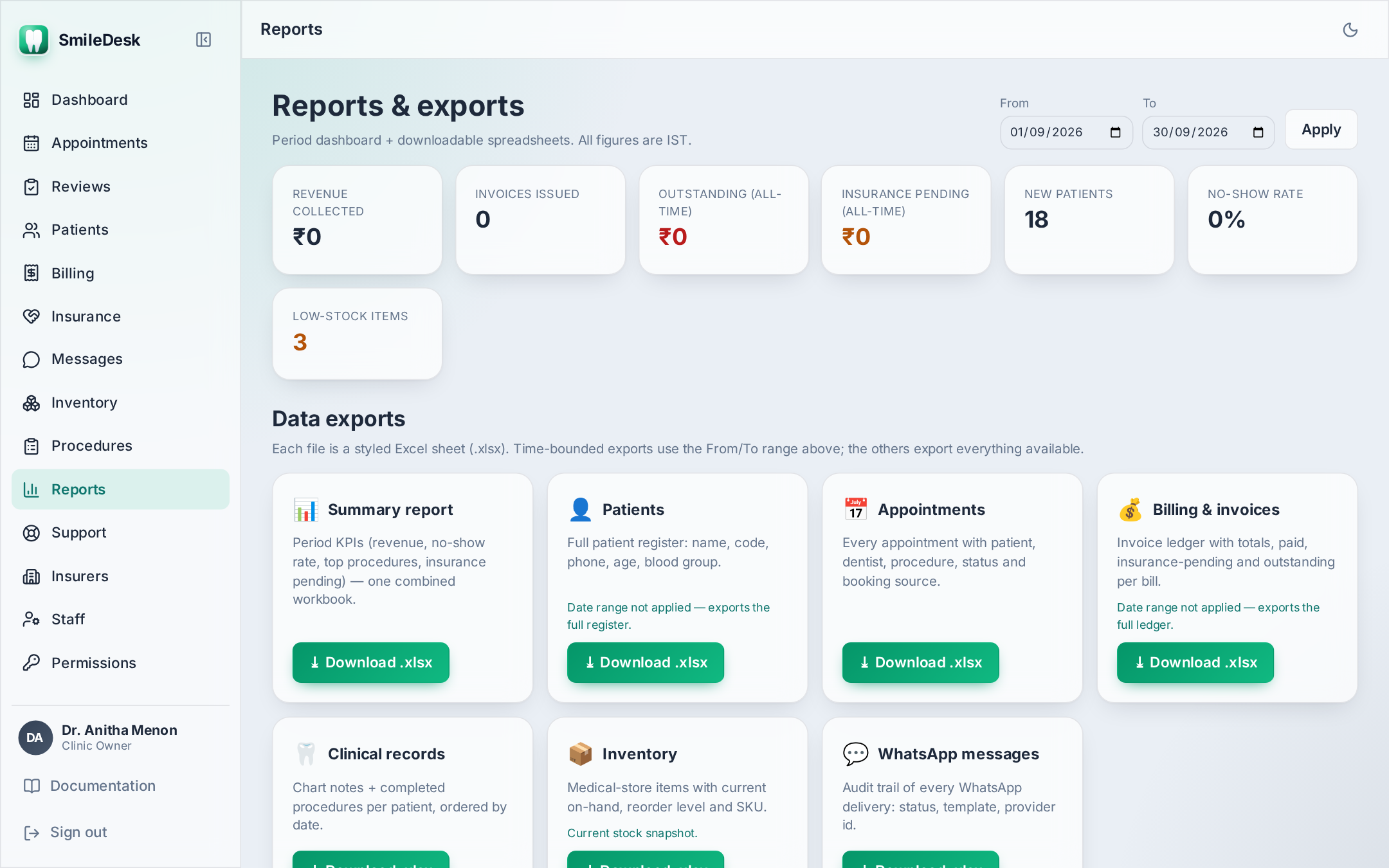
The KPIs
- Revenue collected — sum of confirmed payments (Cash + UPI + Card + settled Insurance) with a date inside the range. Pending insurance is NOT counted.
- Invoices issued — count and total amount of invoices moved to Issued in the range. Includes those still Partially paid.
- Outstanding (all-time) — total amount unpaid across every issued invoice, regardless of range. This is your true receivables number.
- New patients — patients registered in the range.
- Appointments by status — a bar per status (Confirmed, Checked in, Completed, No show, Cancelled) with the count. The no-show rate is No show / (Confirmed + Checked in + Completed + No show).
- Top procedures — the 10 procedures billed most often, by count and by revenue.
- Low stock — count of inventory items at or below reorder level (all-time, not range-bound).
Revenue is when you were paid, not when you billed. If you issue an invoice on 30 Sep and receive UPI on 2 Oct, that ₹ counts in October's Revenue collected, but the invoice sits in September's Issued.
Recalls due
The Recalls section lists patients whose last completed visit was more than 6 months ago and who have no upcoming appointment. This is your recall list — call or WhatsApp them.
- Each row: patient name, P-code, phone, days since last visit.
- Click a name to jump straight to the profile.
- The list respects opt-out — patients with WhatsApp turned off appear (call them), but you cannot bulk-send them a recall message.
xlsx export
The Export button (top right) generates a multi-sheet Excel file for the current date range:
- Summary — the KPI numbers on one sheet.
- Invoices — every invoice issued in the range with line items.
- Payments — every payment received in the range with method.
- Appointments — every appointment scheduled to fall in the range with its final status.
- Recalls — the recall-due list.
Open the file in Excel or Google Sheets. Money columns are formatted as ₹, dates as IST.
Reading the dashboard tiles
The Home dashboard shows a smaller live version of the same data, always for today (IST):
- Today's appointments.
- Pending requests.
- All-time outstanding.
- Low-stock count.
Each tile is gated by the permissions of whoever is signed in — a receptionist won't see the Outstanding tile.
Common pitfalls
- Comparing Revenue and Issued and getting confused — they measure different things (payments vs billing). If they always match, you have no receivables — congratulations. Usually there is a gap.
- Assuming Outstanding matches your Tally / Zoho Books — SmileDesk is the source of truth for what patients owe you. Outstanding excludes pending insurance by design.
- Setting the range to include a future date — invoices in the future are drafts; they will not appear until they are issued.
A KPI number that doesn't match your books?
Contact support →